First appoint an administrator in your company.
This person will have rights to add or delete users, or to create links between companies.
To start using eWastra, you need to have an account.
If your company is already connected to the platform, you can ask your company's administrator to make an account for you or send you an invitation to create an account.
When your company is new to the eWastra platform, you can contact Pionira to receive admin rights at support@pionira.be.
¶ Register
If you have a Microsoft Office 365, Azure Active Directory or C-Point (APCS) account, you can sign in directly.
In this case you will need an invite to join the right organisation.
Otherwise you can create a eWastra account by registering via the following link.
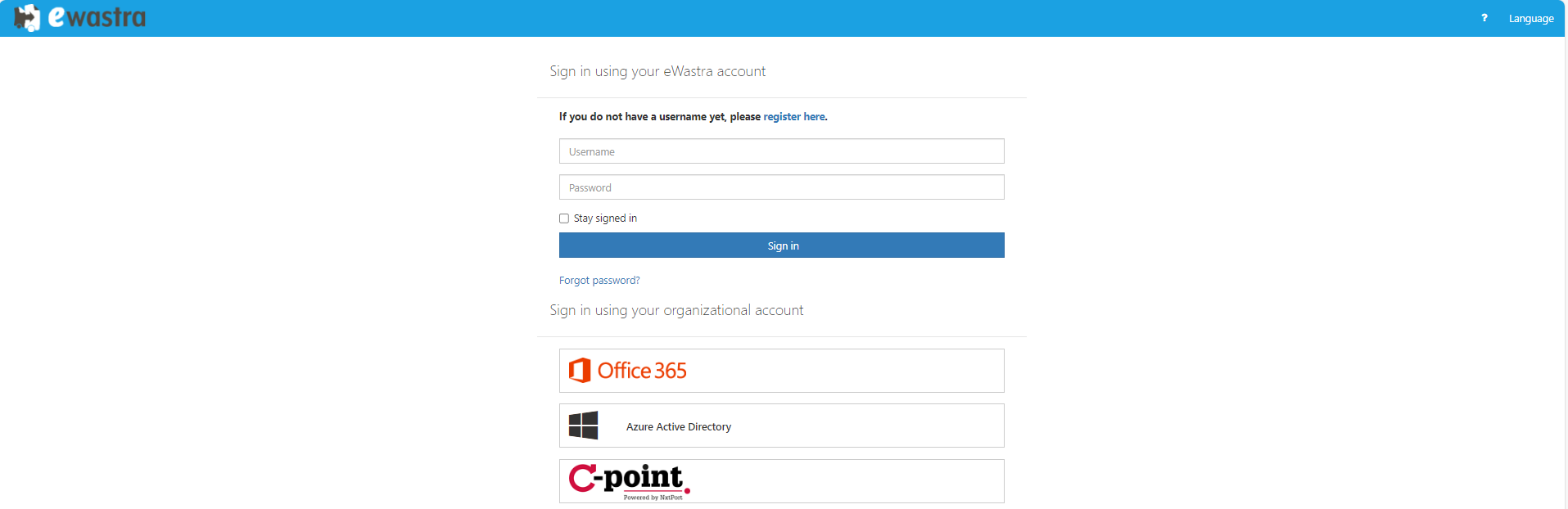
Once you are on the register page, you need to provide the following information:
¶ Company info
Make sure you complete the "Company Details" tab.
When you have a registration number known by the VIES database, it is enough to fill in the "Company Registration Number" (VAT-Number). The form will then complete itself. Please check whether the company details are correct.
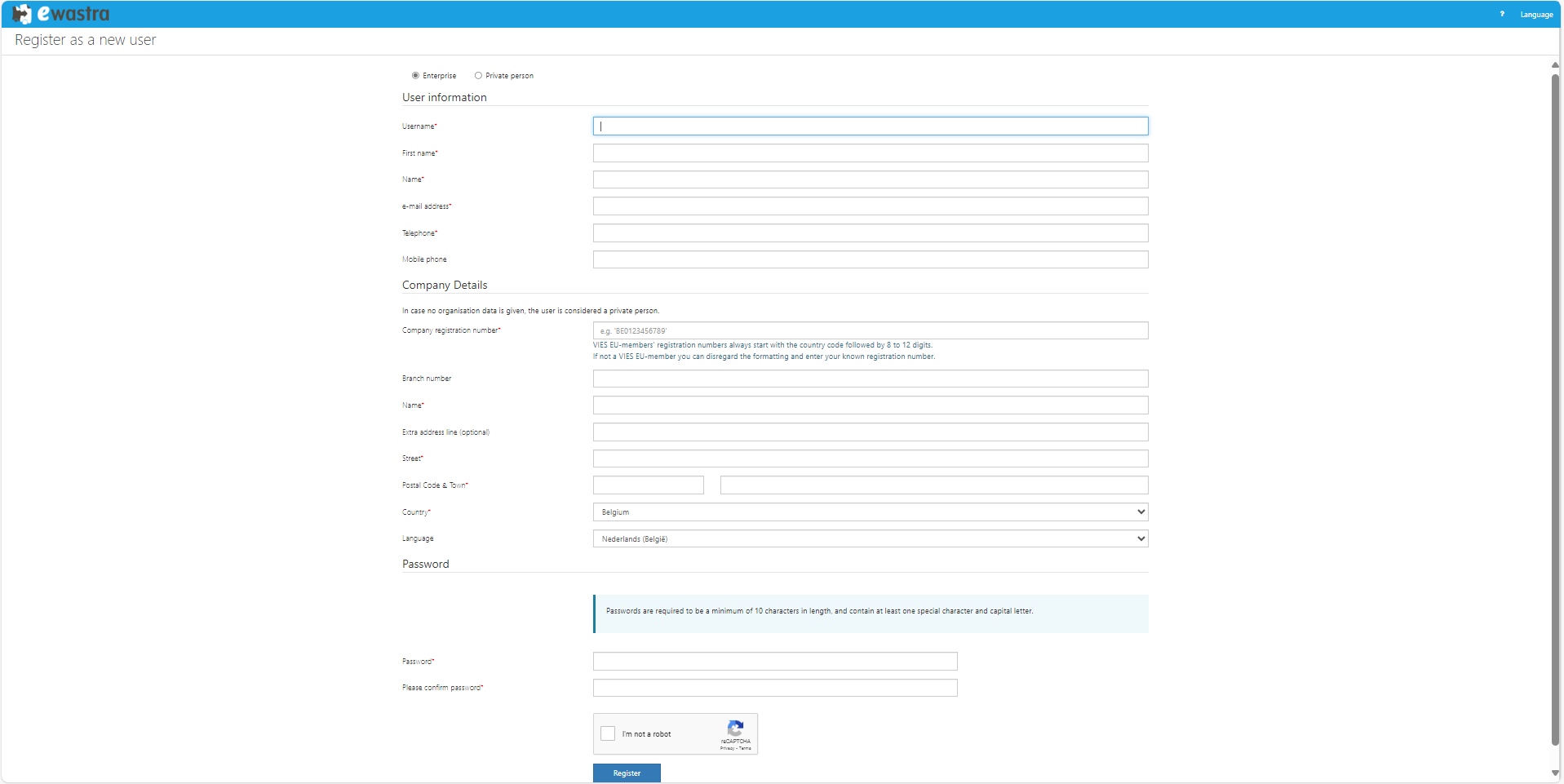
Click I'm not a robot and continue.
If the company already exists within the eWastra platform, the company admin will receive an e-mail for your approval.
Otherwise if the company is new, wait for the approval of the eWastra support team.
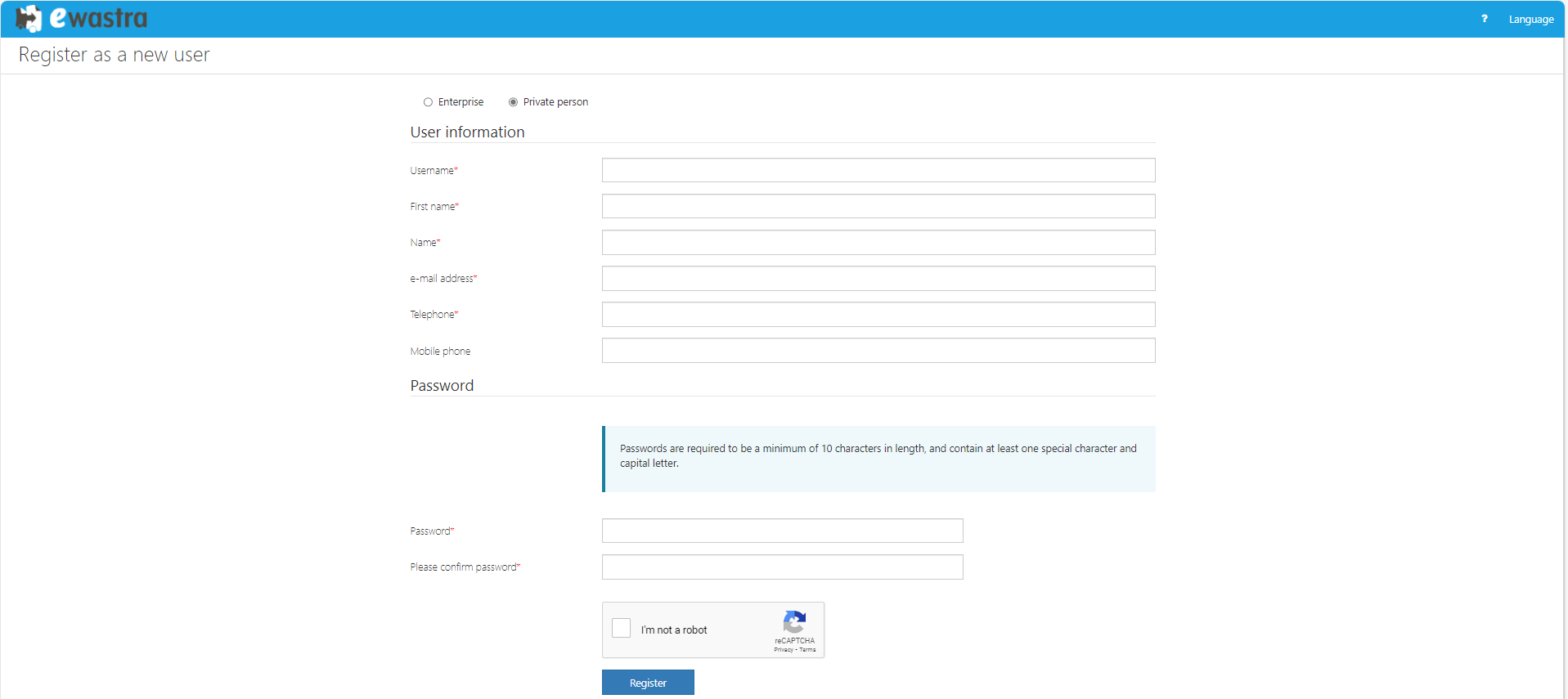
¶ Personal information
- A username
- Your first name
- Your last name
- A valid e-mail address
- Your telephone number
- A password. Your password needs to be at least 10 characters long and must contain at least one digit and one upper case.
¶ Register users
Once you registered your account, please contact Pionira at support@pionira.be to receive administrator rights.
Pionira will inform you as soon as you have access to the admin panel.
From the admin panel, you can invite colleagues to create an account within your company.
Or you can create accounts for them. Click here for more info about registering users.